Press Kit
Everything you need to write about Audiophilio. Questions not answered here? Reach out directly.
About Audiophilio
Audiophilio is a professional audio toolkit for iPhone, iPad, and Mac, designed for audiophiles, home theater enthusiasts, and anyone serious about getting the best sound from their listening space. It brings together a comprehensive suite of precision measurement tools, an auto-diagnosis engine, a full room designer with acoustic analysis, and a signal chain planner — all in a single, focused app.
The app is free to download with a one-time in-app purchase to unlock the complete premium toolset. There are no subscriptions. Your data lives on your device and in your own private iCloud — Audiophilio collects nothing.
The Story
Audiophilio was built out of frustration. The tools audiophiles actually need — an SPL meter, a real-time analyzer, a proper room designer — were scattered across a dozen different apps, most of them ugly, none of them connected. The goal was to build the app that should have existed all along: one beautiful, comprehensive toolkit built specifically for Apple devices, with the care and attention to detail that audiophiles expect from the gear on their racks.
What's New in 1.8
Version 1.8 introduces System Intelligence. Tap Analyze on any saved system in the System Builder and Audiophilio reads the entire signal chain — flagging a missing phono stage, speakers with no amplifier, a source that bypasses the DAC, out-of-range cartridge/tonearm resonance, and amp/speaker impedance and headroom mismatches — each ranked critical, moderate, or minor with a specific fix. Link a room and the advice becomes size- and treatment-aware. On devices with Apple Intelligence, an on-device model summarizes the findings in plain language — privately, with nothing sent anywhere.
Point releases have deepened it since: 1.8.1 added connection-aware routing checks and cartridge/tonearm and amp/speaker matching, plus a “Looking Good” section that affirms what a system already gets right. 1.8.3 adds a first-launch guided measurement that walks new users through their first reading, and restores automatic cross-service resolution when sharing a track to the community feed.
Recent Releases
Version 1.7 gave the Ear Trainer a plain-language descriptor and a “listen for” tip for every one of the 31 ISO 1/3-octave bands, added an Essentials / All filter to streamline the Tools tab, and introduced community safety tools — report and block, content hidden immediately and reviewed within 24 hours, and Community Guidelines shown before you create a profile.
Version 1.6 introduced Shared Test Tracks — a community feed for the reference recordings audiophiles use to evaluate their gear. Share a track from any service and Audiophilio resolves it across Apple Music, Spotify, Tidal, Deezer, and Amazon Music automatically, with optional Qobuz and YouTube links by hand; each share carries a “what to listen for” note, an optional timestamp, and filterable test-attribute tags, and tracks play right in the app.
Version 1.5 brought two new tools for turntable owners — the Turntable Setup Suite (tonearm geometry for Baerwald, Löfgren A, and Stevenson alignment, with a visual null-point diagram and a step-by-step setup checklist) and a Wow & Flutter meter for speed stability — plus an interactive 3D Waterfall view, REW measurement import/export, high/low-shelf PEQ filters (up to 32 bands), a per-frequency harmonic profile (H2–H8) in the THD+N Analyzer, and full Dynamic Type support.
System Intelligence
Analyzes a saved system's signal chain — missing phono stage, unamplified speakers, DAC bypass, cartridge/tonearm resonance, amp/speaker impedance and headroom — ranked with specific fixes; room-aware, with an on-device Apple Intelligence summary on iOS 26+.
System Diagnosis
Analyzes all saved measurement data and ranks issues by severity (critical, moderate, minor) with plain-English findings and recommended fixes. Enhanced by on-device Apple Intelligence on iOS 26+ devices.
SPL Meter
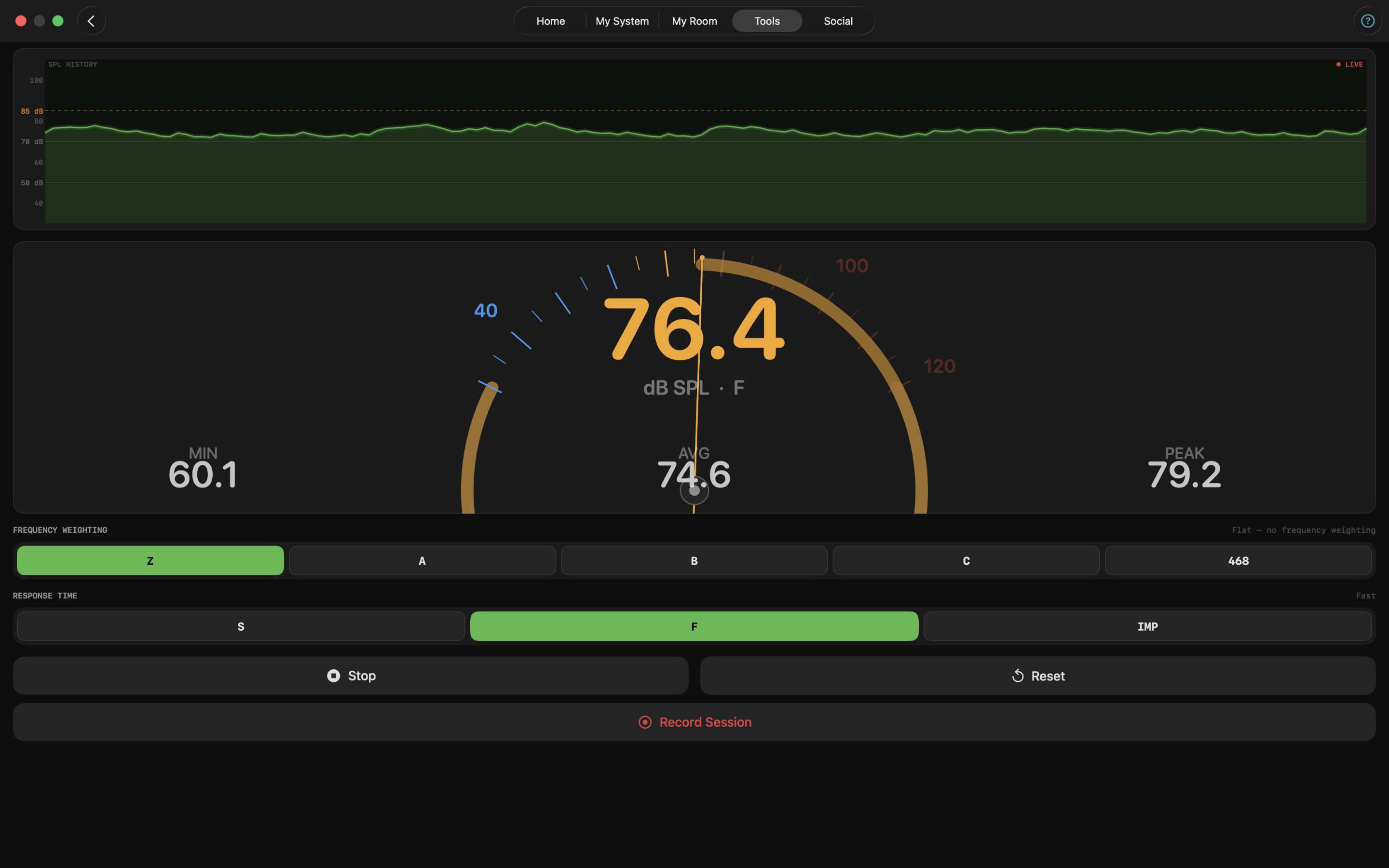
Real-time sound pressure level with A, B, C, and Z weighting, peak and min hold, session recording with CSV export, and level trim calibration workflow.
Real-Time Analyzer (RTA)
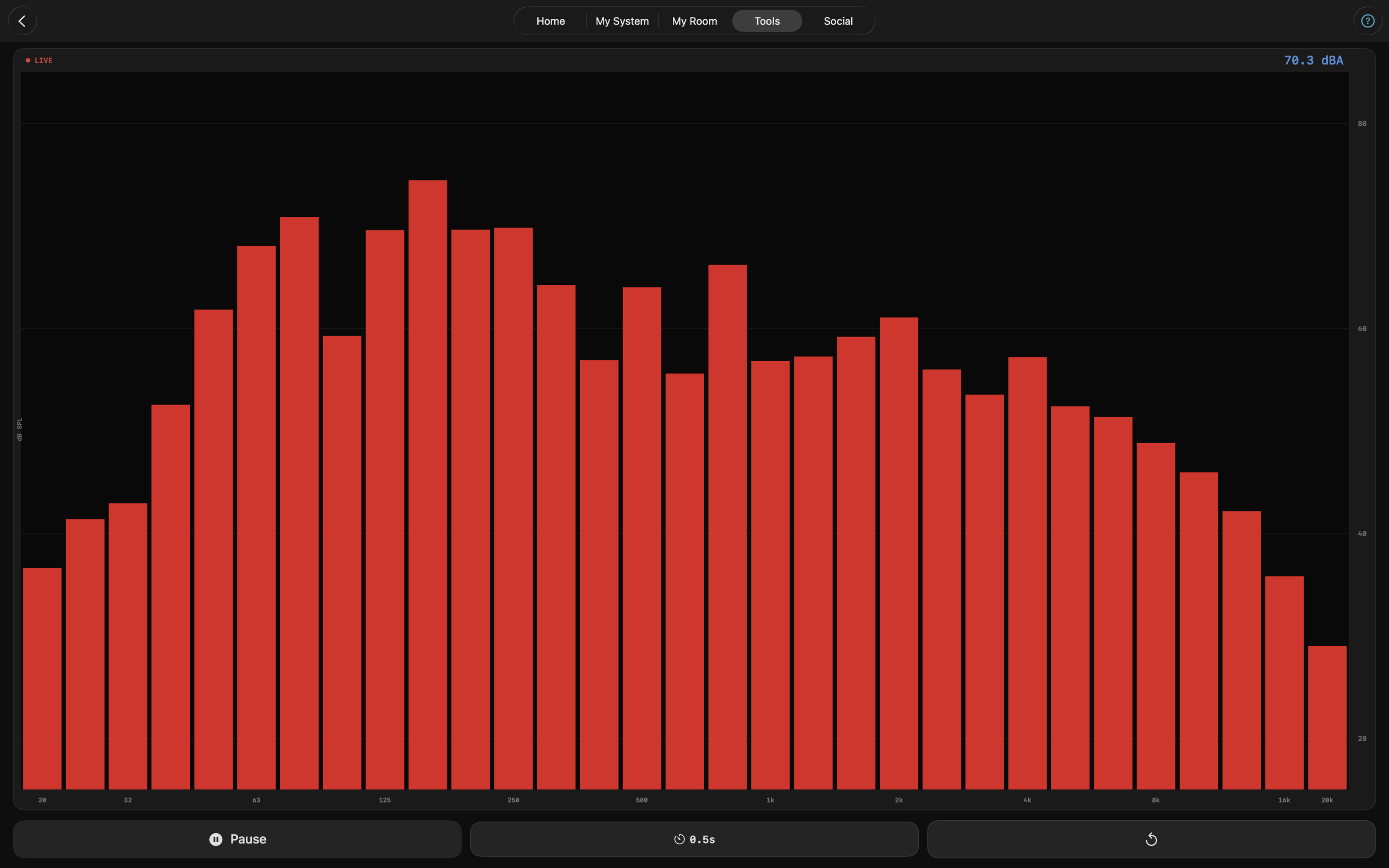
High-resolution 1/3-octave frequency spectrum analysis.
Frequency Response & PEQ
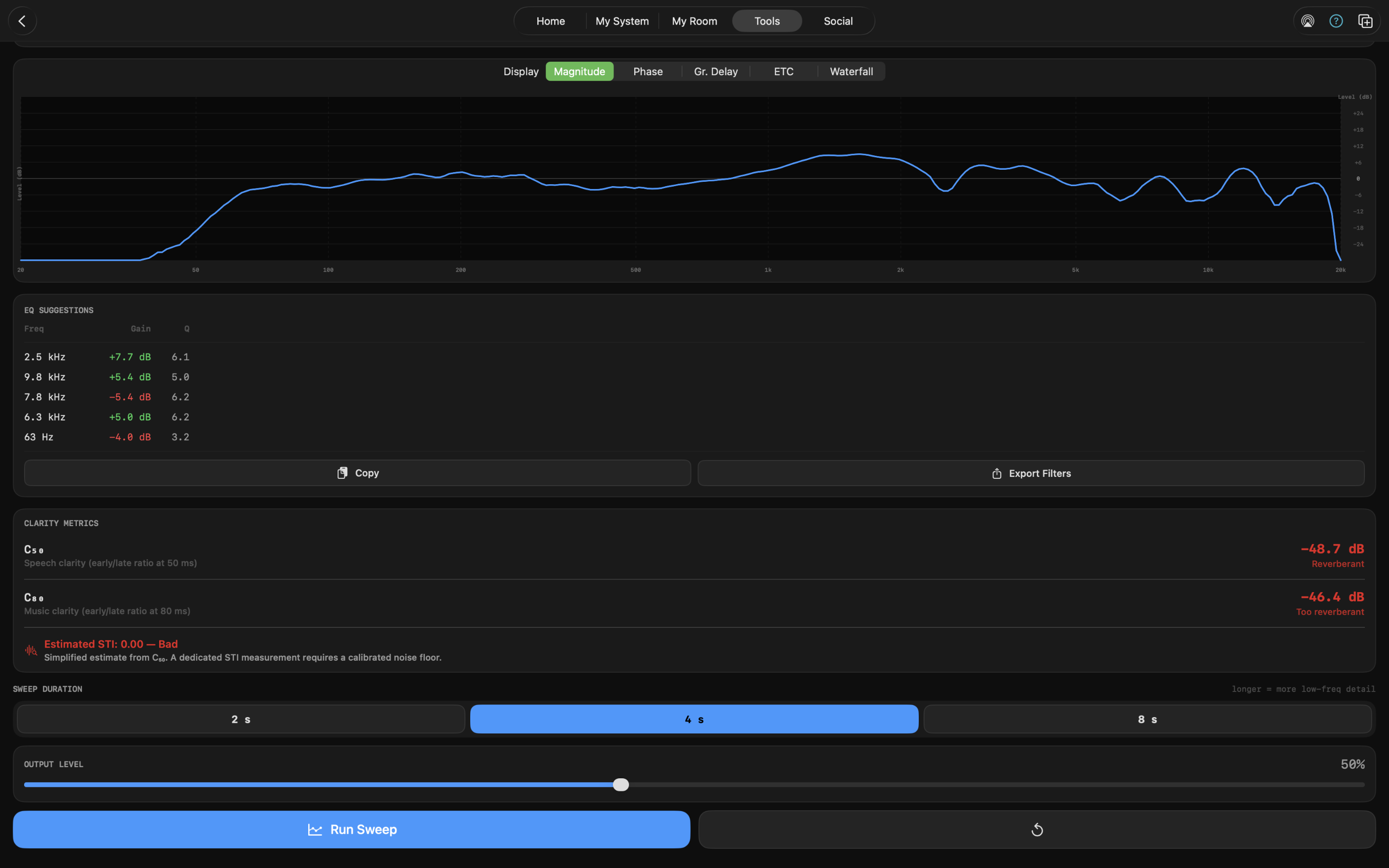
Log-sweep room and speaker magnitude curve with up to 32 parametric EQ filters (peak, dip, and high/low shelf); import and export REW measurements, plus MiniDSP and Equalizer APO filter export.
RT60 Measurement
Per-octave-band reverberation time via log sweep.
Energy Time Curve (ETC)
Room impulse response via Farina log sweep; direct sound, ITDG, and early reflections annotated on a 0–300 ms plot.
Channel Balance
L/R level balance and timing offset measurement.
Impedance Analyzer
Speaker impedance curve with Fs and resonance peak detection.
THD+N Analyzer
Harmonic distortion and rattle detection via frequency sweep, with a per-frequency harmonic profile (H2–H8) distinguishing even- from odd-order distortion.
Delay Finder
Arrival time offset measurement between speakers.
Polarity Checker
Verify absolute polarity of any driver or system.
LUFS Meter
Broadcast-standard loudness per EBU R 128 / BS.1770-4; momentary, short-term, and integrated loudness with streaming platform targets.
Waterfall Plot
Time-frequency decay visualization; 31-band ISO 1/3-octave heat map with an interactive 3D view.
Spectrogram
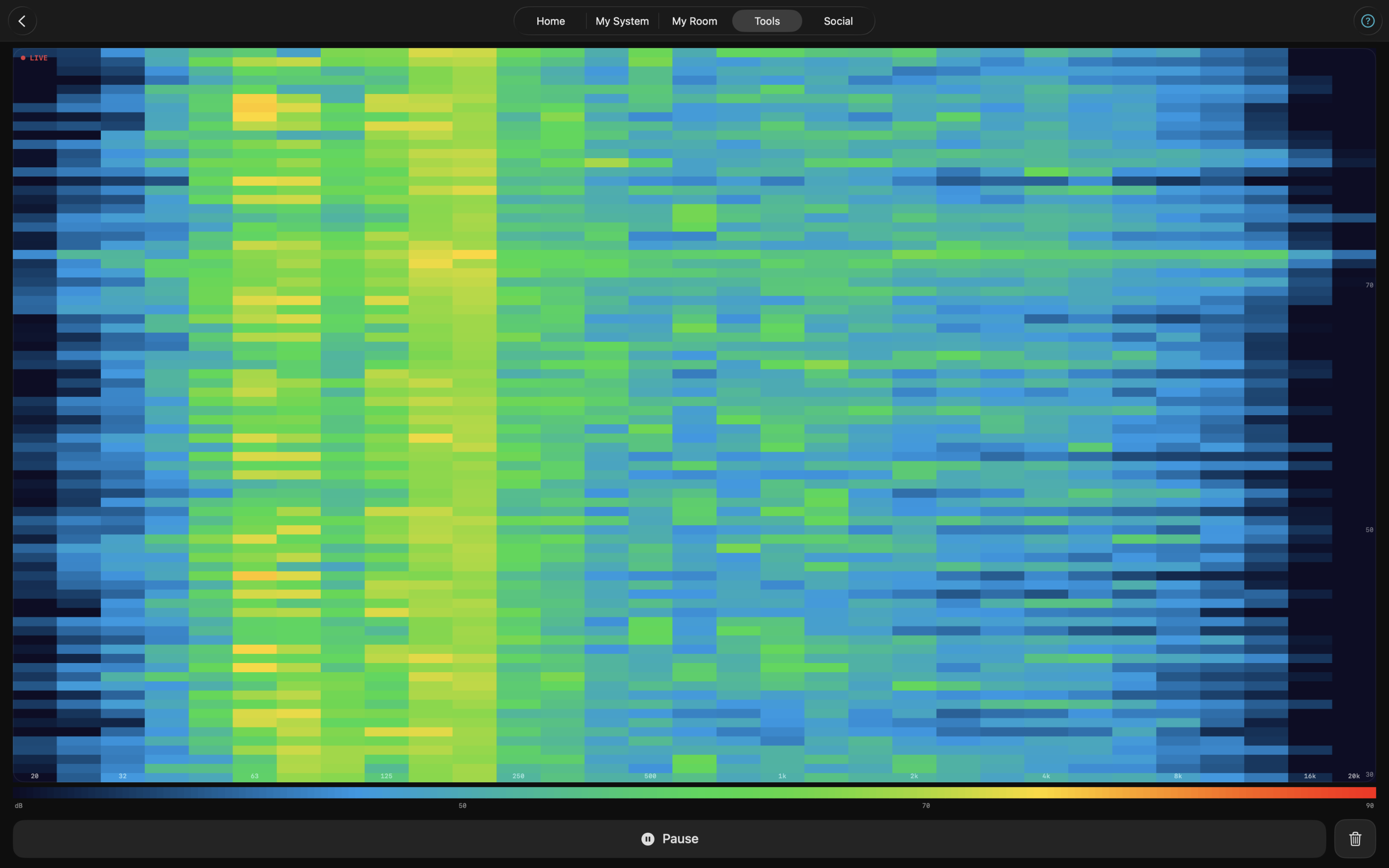
2D real-time frequency map for resonances and flutter echo.
Oscilloscope
Live triggered waveform display with adjustable time scale and gain.
Wow & Flutter Meter
Turntable speed-stability measurement from a 3150 Hz test record; peak and RMS deviation with a letter-grade result.
Turntable Setup Suite
Tonearm alignment (Baerwald, Löfgren A, Stevenson) with a null-point diagram, tracking-force and anti-skate reference, and a setup checklist.
Ear Trainer
Learn to identify frequencies by ear; reference tones across all 31 ISO 1/3-octave bands (free) plus a scored quiz mode.
Active Mic Indicator
Every measurement tool displays the active input device name, distinguishing between calibrated external microphones and the built-in mic.
Calibrated Microphone Support
Import REW/MiniDSP calibration files; level trim for device-specific offset correction.
Room Designer
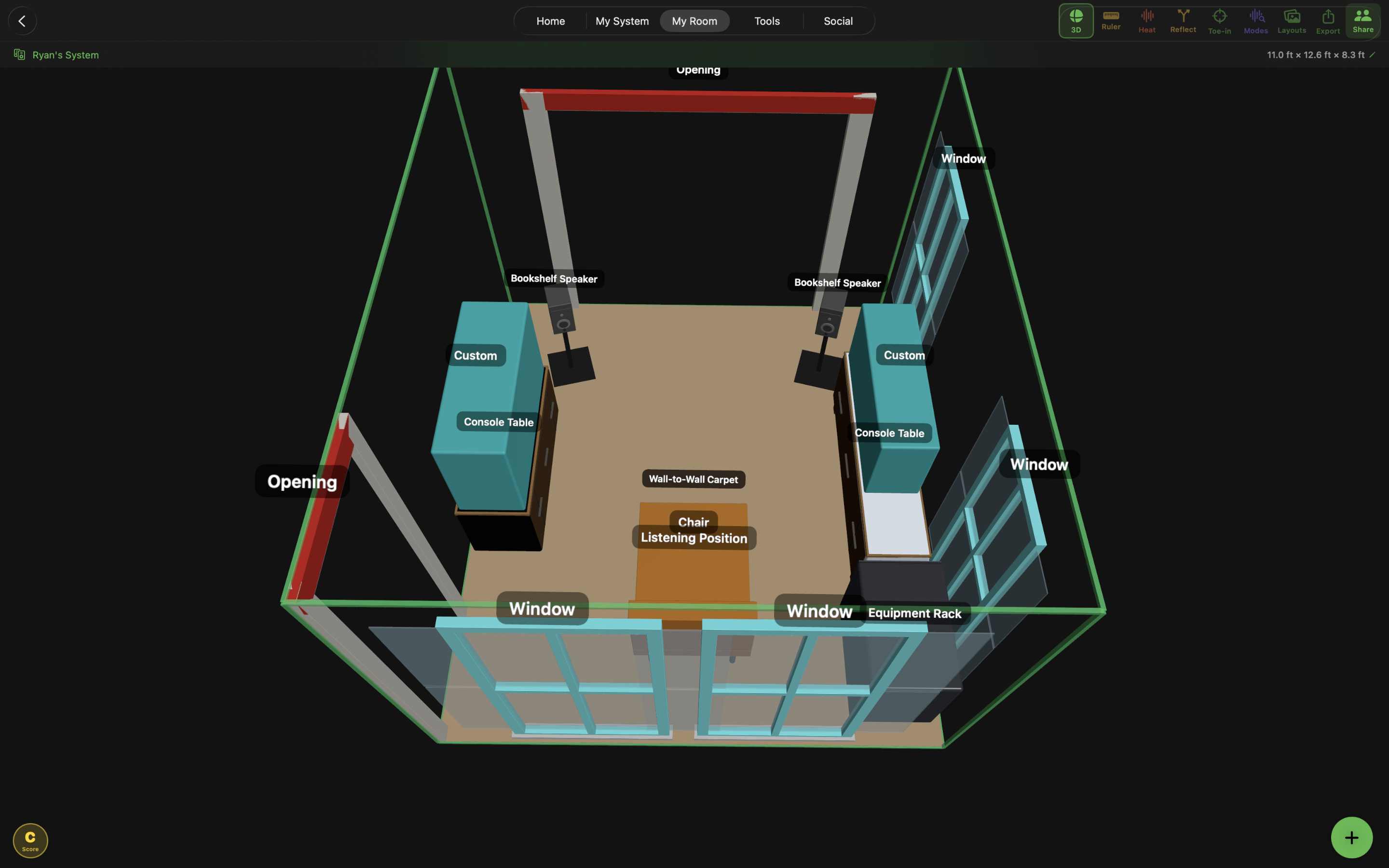
Interactive 3D/2D room layout with acoustic overlays: standing-wave heat maps, first reflection analysis, toe-in arcs, room mode labels, and snap-to-grid editing. LiDAR Room Scan on supported devices.
System Builder
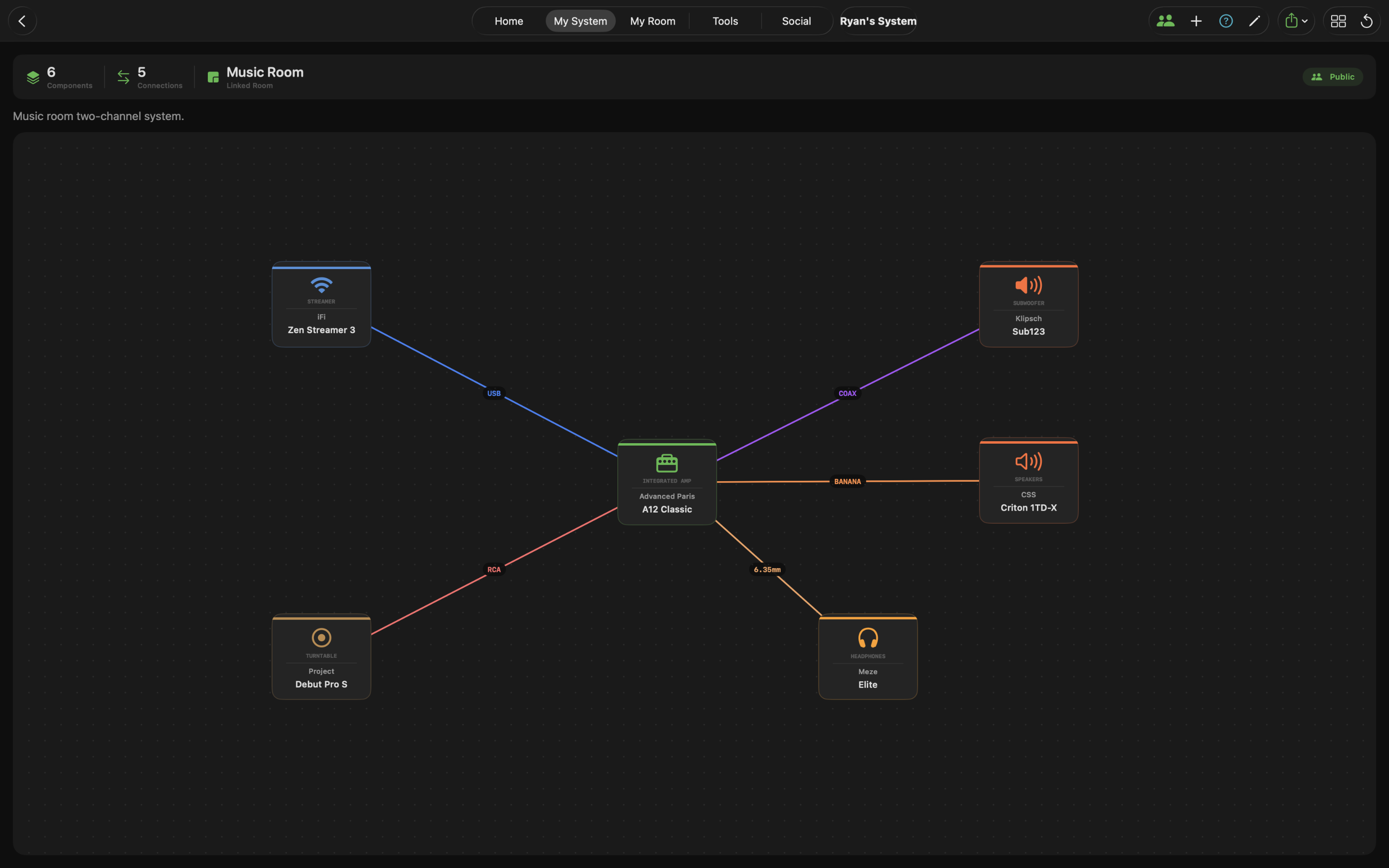
Visual signal chain diagramming from source to speaker; export as PNG, JPEG, PDF, CSV, JSON, or forum-friendly Markdown.
Acoustic Calculators (Free)
Room Modes, RT60, SBIR, First Reflection Point, Schroeder Frequency, Crossover, dB Converter, Ohm's Law, Cartridge Resonance, Speaker Distance, Thiele-Small Parameters.
iCloud Sync
Rooms and systems sync privately across all Apple devices via CloudKit.
Shared Test Tracks
A community feed of reference tracks for evaluating gear; resolves links across Apple Music, Spotify, Tidal, Deezer, and Amazon Music (plus optional manual Qobuz and YouTube), with what-to-listen-for notes, test-attribute tags, and in-app preview or full Apple Music playback.
Community
Share room layouts and system builds publicly; browse how other audiophiles listen. Facebook group for discussion and feedback.
Pricing
Audiophilio is free to download on the App Store. The free tier includes the SPL Meter, Noise Generator, Ear Trainer reference tones, all acoustic calculators, one room layout, one system build, and iCloud sync. The Premium unlock ($44.99, one-time) unlocks every measurement tool, the vinyl suite (Turntable Setup and Wow & Flutter), System Intelligence, System Diagnosis, unlimited rooms and systems, and all advanced acoustic overlays. No subscriptions. No recurring fees.
Privacy
Audiophilio processes microphone audio entirely on-device. No audio is ever recorded or transmitted. System Intelligence and System Diagnosis — including any AI interpretation — run entirely on-device using Apple Intelligence; no measurement data leaves the device. User-created content is stored locally via SwiftData and synced only to the user's own private iCloud account. Audiophilio collects no analytics, uses no third-party SDKs, and has no servers of its own.
Technical
- +Built with SwiftUI, SwiftData, AVFoundation, Accelerate, and CloudKit
- +Requires iOS 18.0 / macOS 15 Sequoia or later
- +Apple Intelligence features (System Intelligence & System Diagnosis AI) require iOS 26 / macOS 26
- +Universal app — iPhone, iPad, and Mac (Apple Silicon)
- +App Store Category: Music
- +Bundle ID: io.audiophil.Audiophilio
App icon and high-resolution screenshots are available below. For additional assets, interview requests, or review access, contact press directly.

App Facts